Send anything. Find everything.
Rover finds files by name, free, forever. Pro sends files of any size straight to anyone, and finds files by what they show: the text in a screenshot, what's in a photo, and files on a drive sitting in a drawer.
Send huge files, Mac to Mac
Pick a file, press ⌘S, type a name or email, Send. It goes straight from your Mac to theirs, encrypted end to end, with no size limit and no upload to wait for. Works through VPNs and picks up where it left off.
Search the text in your screenshots
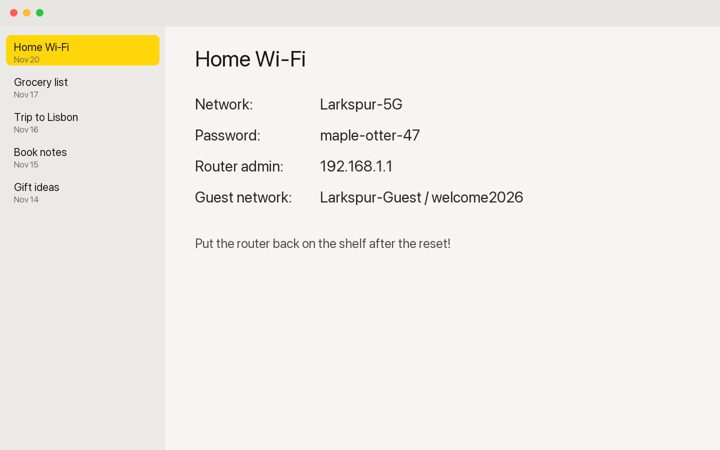
Type wifi password and get the screenshot it's in. Rover reads the text in your images with Apple's on-device Vision. Nothing is uploaded.

Find photos by what's in them
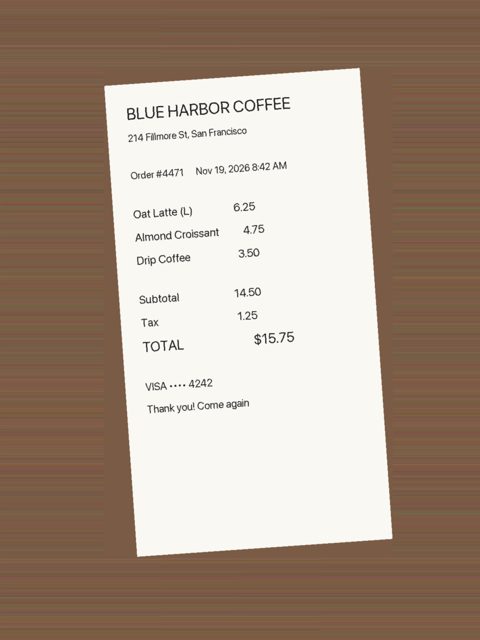
coffee receipt, dog, beach: Rover knows what your images show, even when they're named IMG_4471.

Search drives that aren't plugged in
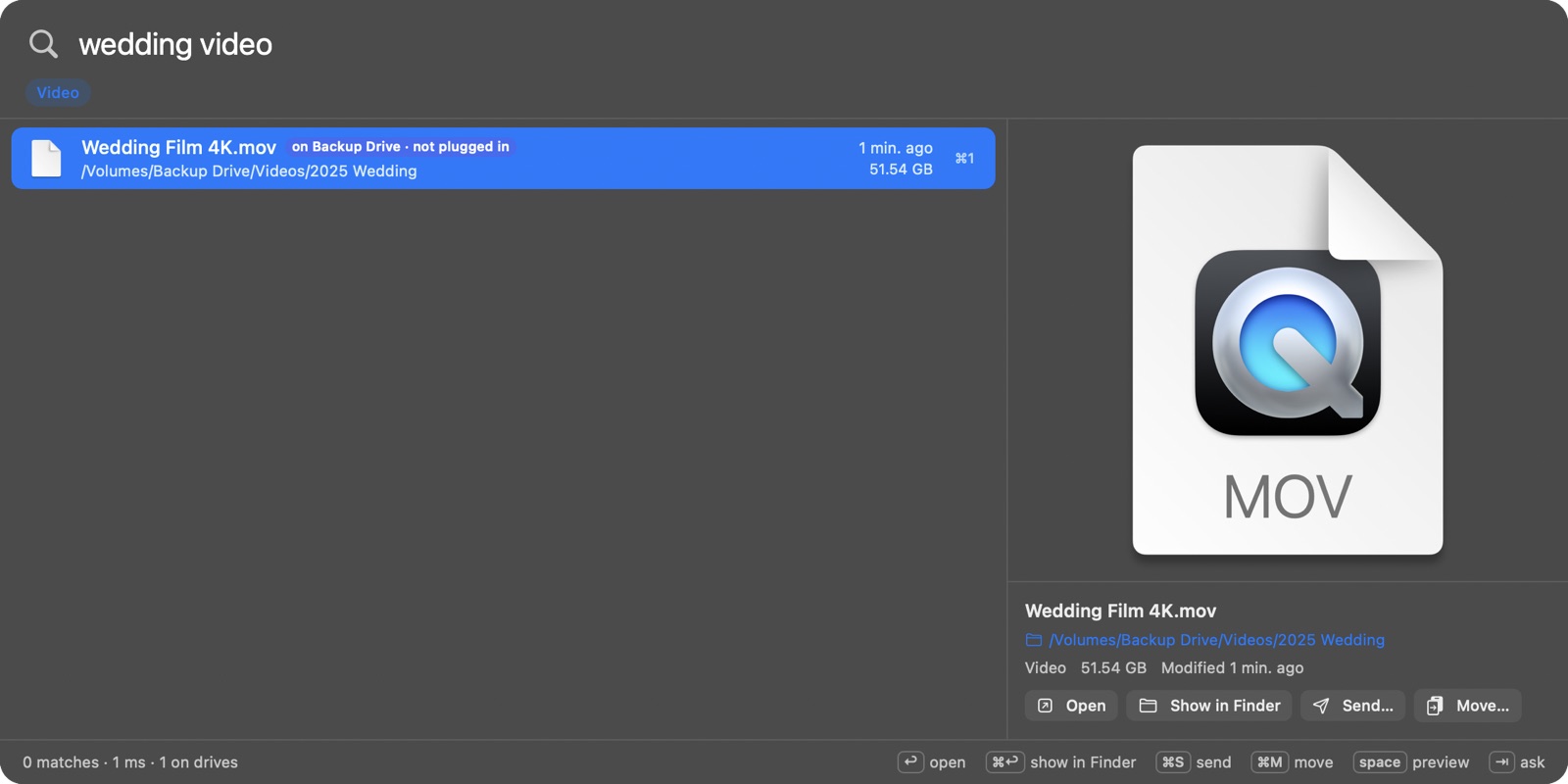
Plug a backup drive in once and Rover remembers what's on it. Later, wedding video tells you it's on “Backup Drive”, even when that drive is in a drawer.
Free up space, safely
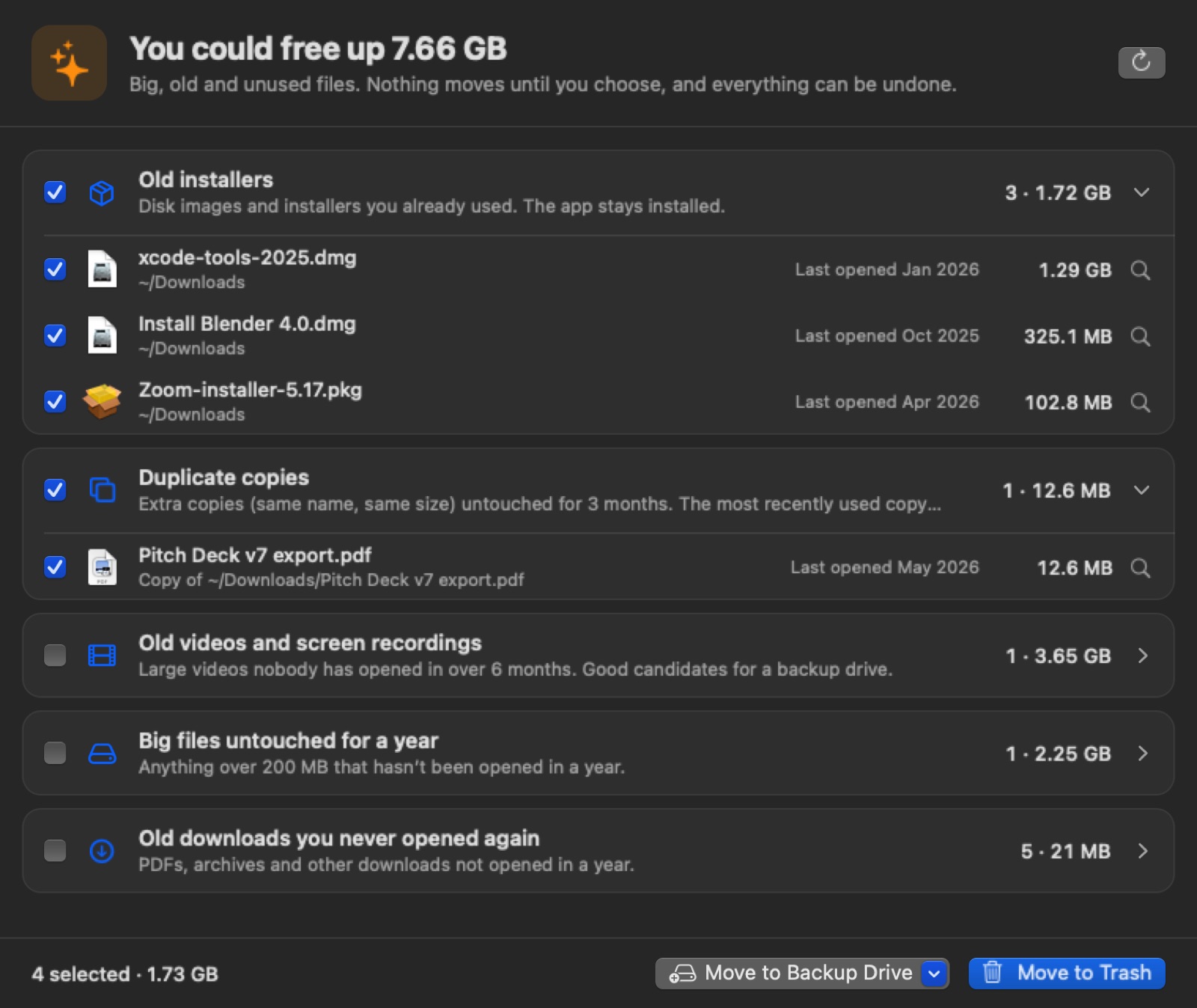
Finds old installers, extra copies, forgotten videos and apps you never use. Trash or a backup drive, never deleted, and ⌘Z undoes it.
Pinned files
Press ⌘D on any result. Pinned files sit on top every time you open Rover.
Your own shortcut
Not a fan of ⌥Space? Pick ⌥⌘Space, ⌘;, ⌥F and more.
Monthly space checkup
Rover tells you when there's over 1 GB to clear. It never moves anything by itself.
Every Mac you own
One subscription, all your Macs. Cancel anytime from Rover's menu.
How it works
After you subscribe, you land on a page with your key and an Open in Rover button. One click and Pro is on. You can also paste the key in Rover's menu → Get Rover Pro. Rover renews the key by itself each month while you're subscribed.
Lost your key? Open the receipt link again: it shows a working key for as long as you're subscribed.
Cancel anytime from Rover's menu → Manage Subscription. Pro keeps working until the end of the month you paid for.
What leaves my Mac? Search stays on your Mac: images are read by Apple's Vision framework and drive catalogs are stored locally. Files you send go straight to the other Mac, encrypted end to end; our servers only help the two Macs find each other. Once a month Rover checks with getrover.dev that your subscription is still active.
Which images? Screenshots, downloads and pictures in your Desktop, Documents, Downloads, Pictures and iCloud Drive folders. Rover reads the newest first, a few per second, in the background. Photos inside the Photos app aren't included.
Is Pro open source? Rover's search is, and stays free under the MIT License. Rover Pro is closed source and comes only in the official app from getrover.dev. Your subscription pays for the servers that make sending fast and keeps Rover maintained.
Refunds: payments are final, so there are no refunds, including for part of a month. Cancel anytime to stop the next charge. If a key doesn't work, open the receipt link again or email hello@getrover.dev.